The Challenge
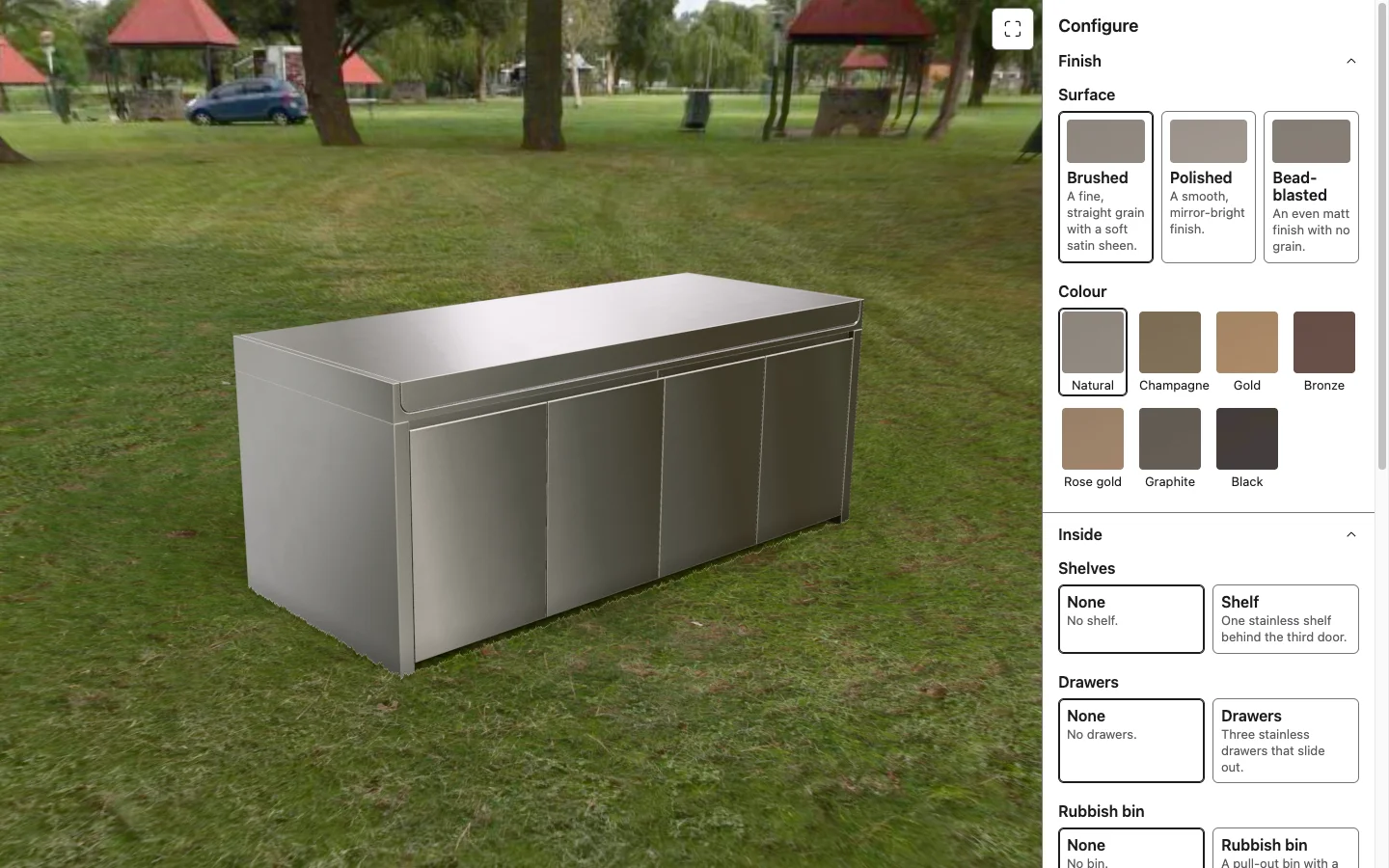
Premium products that come in a range of finishes and options are hard to sell from a brochure. This stainless steel outdoor kitchen comes in 3 surface finishes and 7 colours, with optional shelves, drawers and a rubbish bin. That is 168 combinations before you open a single door, far more than a photo shoot or a set of renders can cover. The product already existed as STEP CAD files. The brief was to turn those files into something a customer can explore in the browser, see their own version of the product in a real setting, and send as an enquiry with the exact spec attached.
The Solution
I built a pipeline that starts from the CAD and ends in the browser. The STEP files go into a Blender master where every part is named, the doors are hinged, and the shelves, drawers and bin are modelled to fit the measured space inside the cabinet. A headless Python export turns the master into compressed GLB chunks (meshopt) and KTX2 textures, with a manifest that tells the web app what to load for each option. The web app is Vue 3, TypeScript and three.js. The product options and rules live in data files run by a small, tested configuration engine, and the 3D viewer knows nothing about kitchens: it is told which chunks, materials and poses to draw. An automated conformance check compares what the browser draws against the Blender master, part by part. I ran the build with Claude Code through a structured workflow of scoped tasks, written decision records and a status ledger, with every claim tagged as measured, read from source or inferred.
Photoreal Rendering
The goal was a product shot, not a game asset. Key look decisions were checked against Blender Cycles renders of the same scene.
Measured metal
Natural stainless uses reflectance values from published optical measurements. The 6 coloured finishes use values taken from PVD coating suppliers' colour chips.
Real surface finishes
Brushed steel has a directional grain that catches the light along the panel. Polished is near-mirror. Bead-blasted is an even matt. Faint smudges vary the sheen, so the metal does not read as computer-perfect.
True edges
Folded edges keep the 2 mm radius from the CAD, so highlights run along them the way they do on sheet steel.
Light and shadow
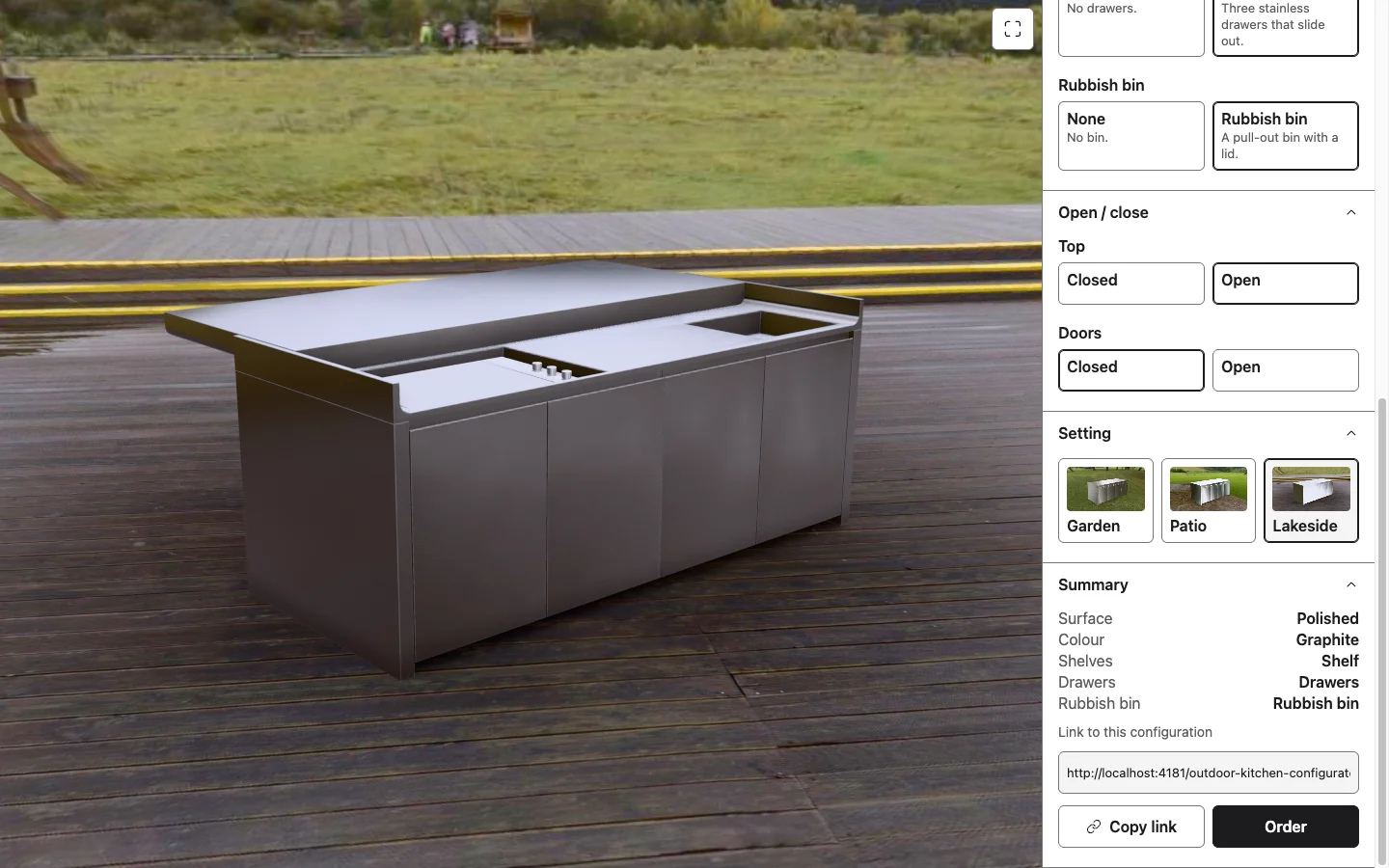
Each setting is a real HDRI photograph shown as a dome with a matching floor. The same light reflects in the metal. Contact shadows are baked in Cycles for each setting and follow the doors and drawers as they move.
Film-quality finish
Ambient occlusion tuned to match Cycles, supersampled anti-aliasing when the camera comes to rest, and a fine film grain.
For the Customer
Everything a buyer would want to check in a showroom, from a phone or laptop.
Choose a finish
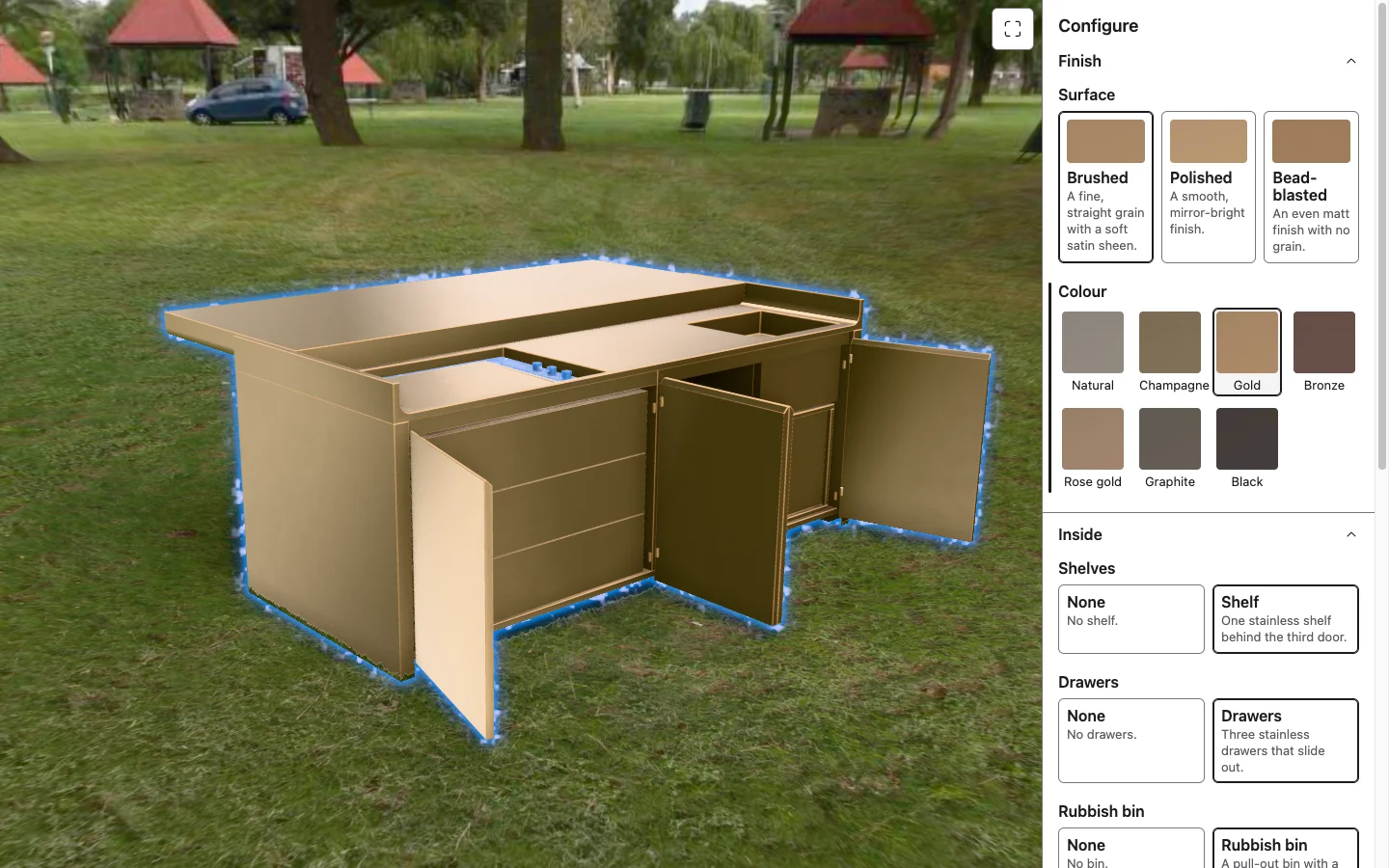
3 surfaces and 7 colours, 21 finishes in all. Hover over a swatch to preview it on the model before choosing.
Add what goes inside
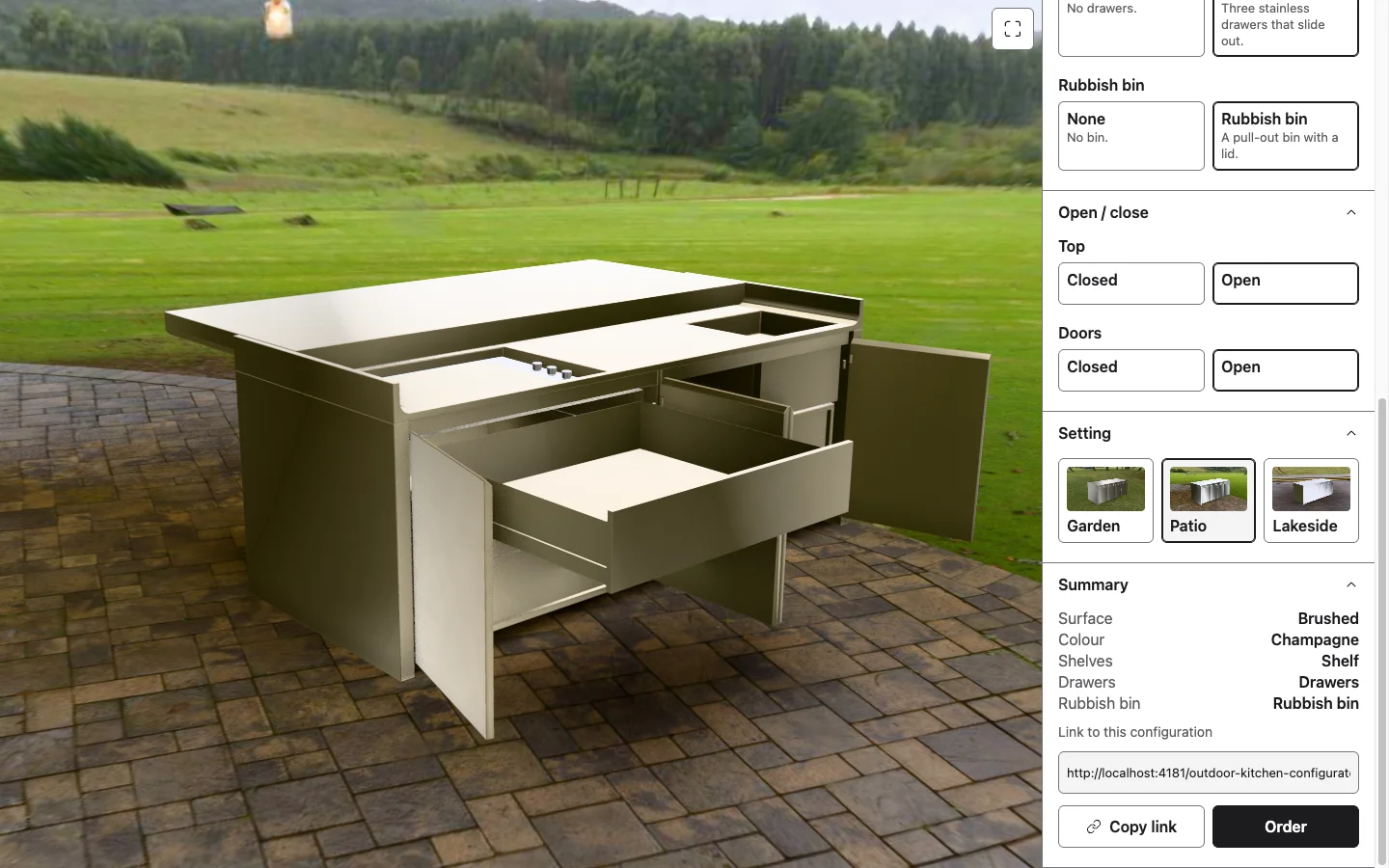
Add shelves, drawers or a pull-out bin. The doors in front open to show where it goes, and the camera comes round to the front if it needs to.
Open it up
Slide the top back to reveal the griddle, controls and sink. Click any front door or drawer in the model to open it. Drawers wait for their doors, as they would in real life.
See it in place
Switch between garden, patio and lakeside settings, and orbit and zoom around the unit.
Share the exact spec
The link holds the whole configuration and view, so a customer can send their version to a partner or come back to it later.
Send an enquiry
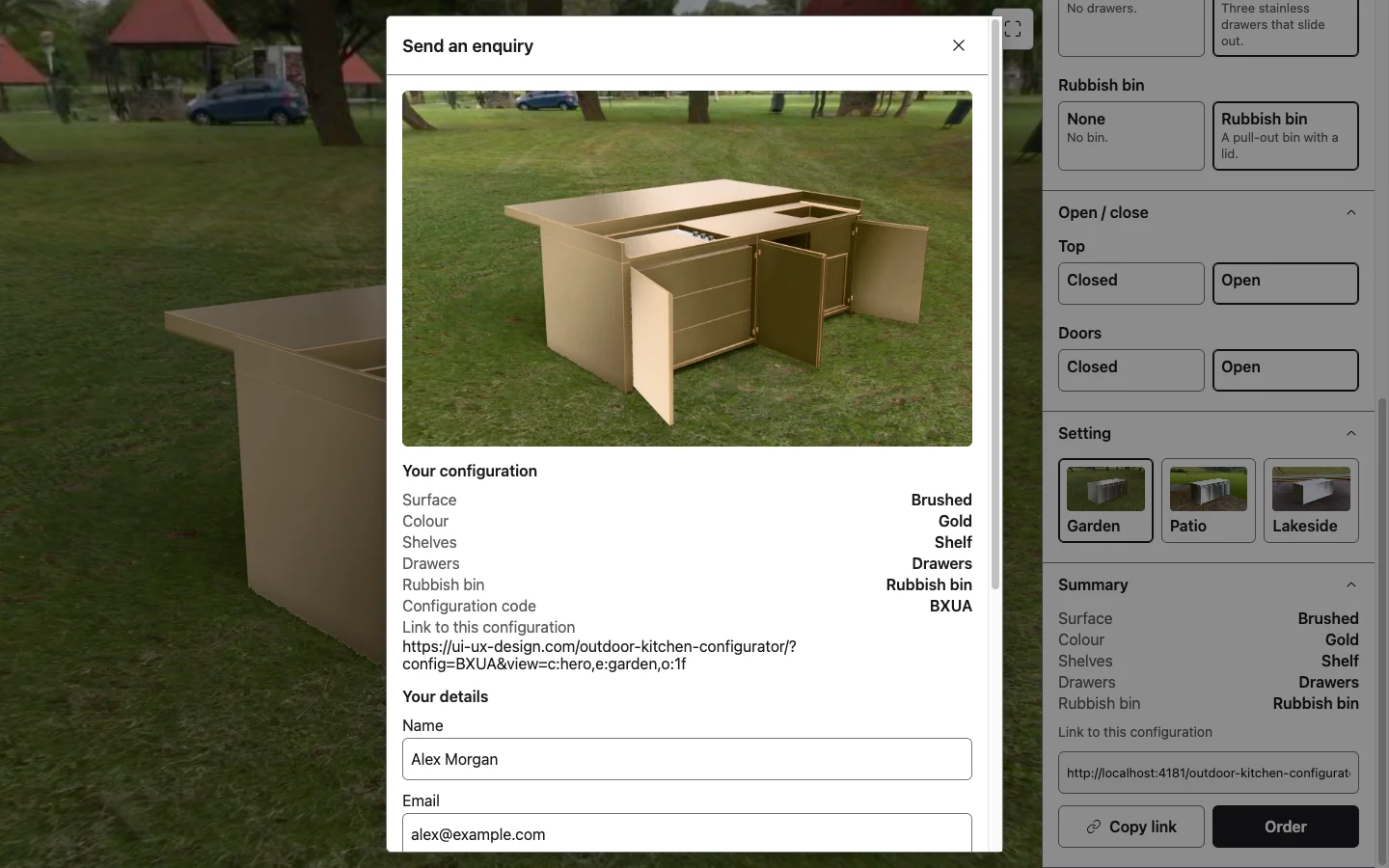
The Order form shows the chosen spec and a picture of the customer's own configuration, then takes their contact details and returns a reference number.
For the Business
The configurator is a platform, not a one-off. The product lives in data, so the business can change it without new code.
Options are data
A new finish, colour or add-on is a data edit plus a re-export from Blender. The panel builds itself from the data.
Rules and availability
The engine supports rules between options: a colour only offered on one surface, or an add-on that rules out another, each with a plain sentence telling the customer why. Pricing has a slot in the data format, ready to switch on.
Brand and language
Brand colours come from one token file. Interface text comes from one copy file, ready for translation.
Settings that sell
The environments can be swapped for the brand's own showroom, a customer's kind of garden, or a seasonal campaign.
Leads to the right place
In this demo the enquiry is validated and given a reference, but nothing is sent. Connecting it to email or a CRM is a change to one server function.
Embed anywhere
It drops into any website with one iframe tag. There are no accounts and no database: the link is the configuration.
Beyond Kitchens
The pipeline starts from any product's existing CAD files. It suits any exclusive product sold in a range of models, finishes or styles, where a buyer wants to see their own version before they commit.
Lifts and elevators
Cabin panels, handrails, lighting, floors and door finishes, seen in a building that looks like theirs.
Cars and bikes
Paint, wheels, trim and interior, with doors and boot that open.
Footwear
Colourways, materials and soles on a shoe the buyer can turn in their hand.
Garden machinery
Lawn mower models, deck sizes, attachments and colours, shown on the lawn.
The Results
A working configurator, live on this site and embeddable in any page. It is built for lead generation: every enquiry arrives with the exact spec and a link that rebuilds the configuration for the sales team. On a throttled desktop benchmark (Fast 4G, 4x CPU slow-down), a finish change is on screen in about 0.1 s and a new add-on in about 0.25 s, and the whole first load is about 6 MB. Lighthouse scores it 100 for accessibility, and every option in the panel works from the keyboard.