The Challenge
I wanted visuals for my own gigs and for background screens at concerts: generated, reacting to the music, and mapped onto 3D surfaces the way projection-mapping shows are. Desktop VJ tools do this. The browser can now drive the GPU directly through WebGPU, so the question was whether a web app could do the same job on a real stage. That sets a high bar. It has to react to music it can actually hear, hold a steady 60 fps on a projector for hours, run on two screens at once, and be usable by one person in the dark. It also has to stay inside the rules: YouTube's terms ban downloading or separating its audio, and Spotify's ban analysing it.
The Solution
The app runs as two windows. The control window sits on the laptop and does all the listening. The output window goes fullscreen on the projector and only draws. They talk over BroadcastChannel, and the output window runs on its own main thread, so a busy control screen cannot stall the show. Audio is analysed by my own FFT in an AudioWorklet. Local files are also analysed in full before they play, so the app knows the tempo, the beat grid and where the drops are. For anything else, it simply listens, like a microphone would. Visuals are written in WGSL shaders and run on three.js's WebGPU renderer, with my own pass graph and post-processing chain. The control UI is React, but the render loop is plain TypeScript and never runs inside React. I built it with Claude Code in staged sessions. Each stage ended with tests and a written handoff, and every performance claim had to be measured before it went in.
The Show
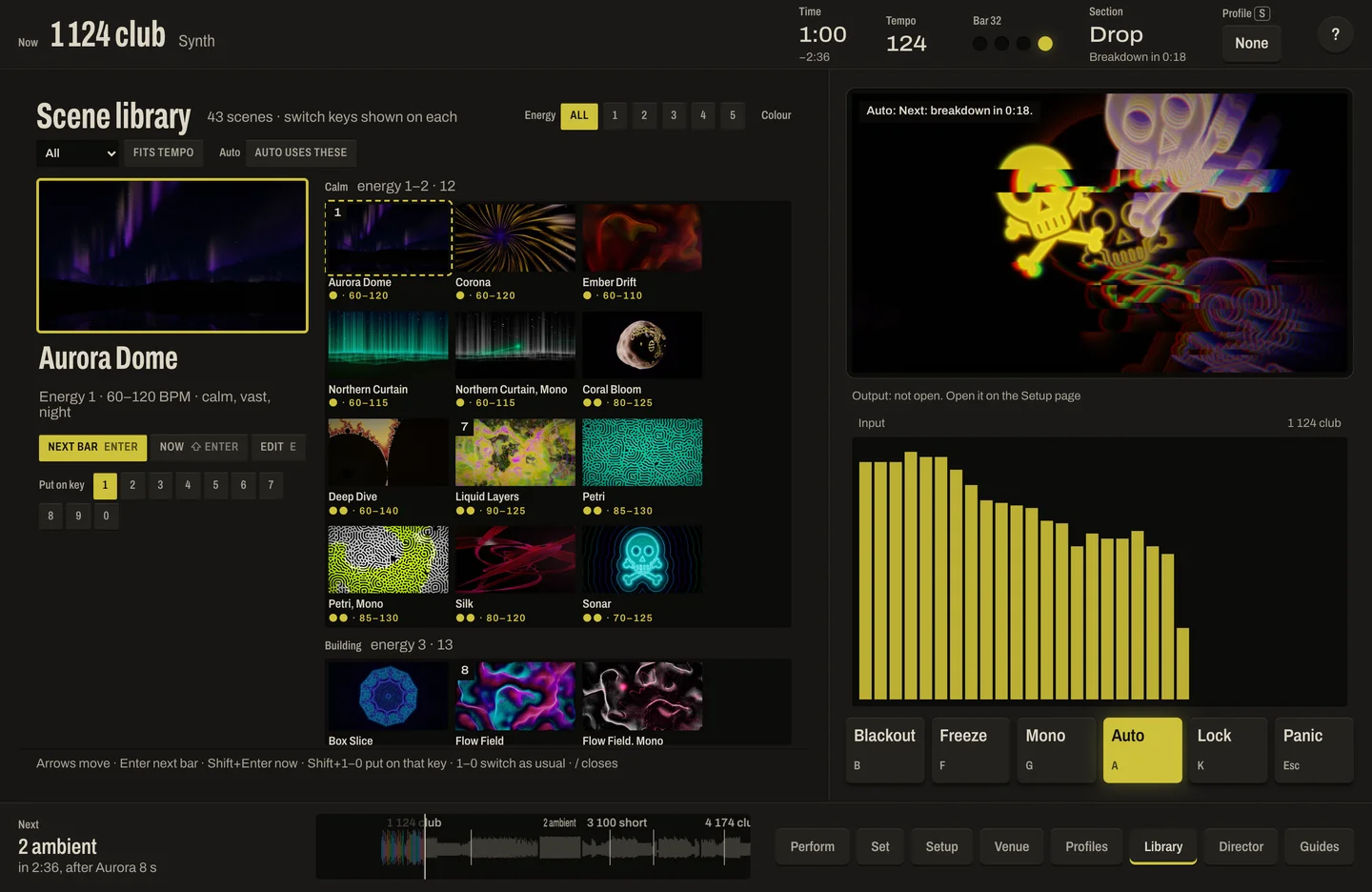
43 scenes, each made of a generated texture, a 3D surface, a camera path, post effects and a palette. Every parameter can be driven by the music.
30 core scenes
Aurora skies over a dome, fractal tunnels, a disco ball, a building facade of extruding blocks, neon terrain, kaleidoscopes, reaction-diffusion growth, mirror rooms and more. Built from 23 generators, 9 surfaces and 25 palettes.
Black and white with a streak of colour
7 mono variants, plus a Mono key that turns any scene black and white with a single colour accent, in 6 different forms.
Your own mark
6 pattern scenes are made from an uploaded logo or image: tiled walls, mandalas, stamps and a tunnel through the mark. It can be swapped mid-show without dropping a frame.
Heavy GPU work
About a million GPU particles following a flow field, and a Mandelbrot deep zoom to 1e-12 using perturbation, both inside the frame budget.
Built for projection
A post-processing chain of feedback trails, bloom, chromatic aberration, tone mapping and film grain.
Listening to the Music
The app reacts to sound it can read. That rules out Spotify's API and YouTube downloads, so it is designed around what is allowed.
Local files first
Drop in a folder of tracks. Each one is decoded and analysed in a background worker: tempo, beat grid, downbeats, energy and sections such as build, drop and breakdown.
Listen mode for everything else
A microphone, a line-in from the DJ mixer, a loopback device, or a captured browser tab. Spotify plays as normal and the visuals follow what the app hears.
YouTube, by the rules
The official YouTube player opens in a small visible window, and the app listens to that window's sound.
Real-time features
Bass, mids and highs, level, onsets, tempo, beat phase, brightness and change, all smoothed so the visuals pulse without flicker.
Sets that flow
Gapless playback or crossfades, with a choice of image, video, colour or scene between songs.
The Auto-Director
Left alone, the app runs the show itself.
Scenes that fit the music
It scores every scene against the music's energy, tempo and brightness, and picks from the set's own pool of scenes.
Cuts on the drop
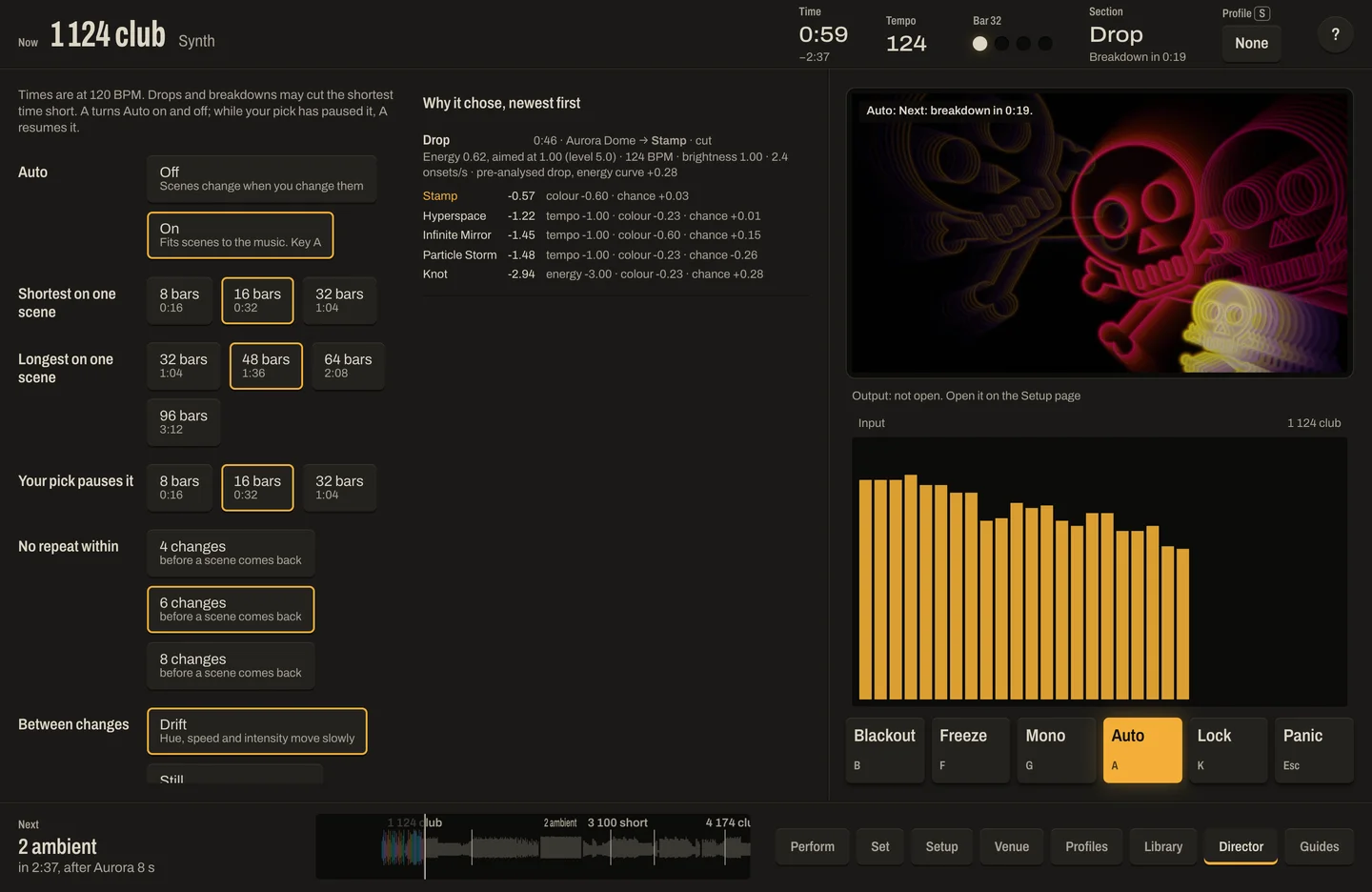
For analysed files it changes scene on drops, breakdowns and new songs, landing on the downbeat. In the control-window recording on this page it cuts from Aurora Dome to Stamp on the drop.
It explains itself
The Director page lists every change and the reason for it, so the performer can trust it or take over.
Always overridable
One key locks the current scene, another hands control back.
For the Performer
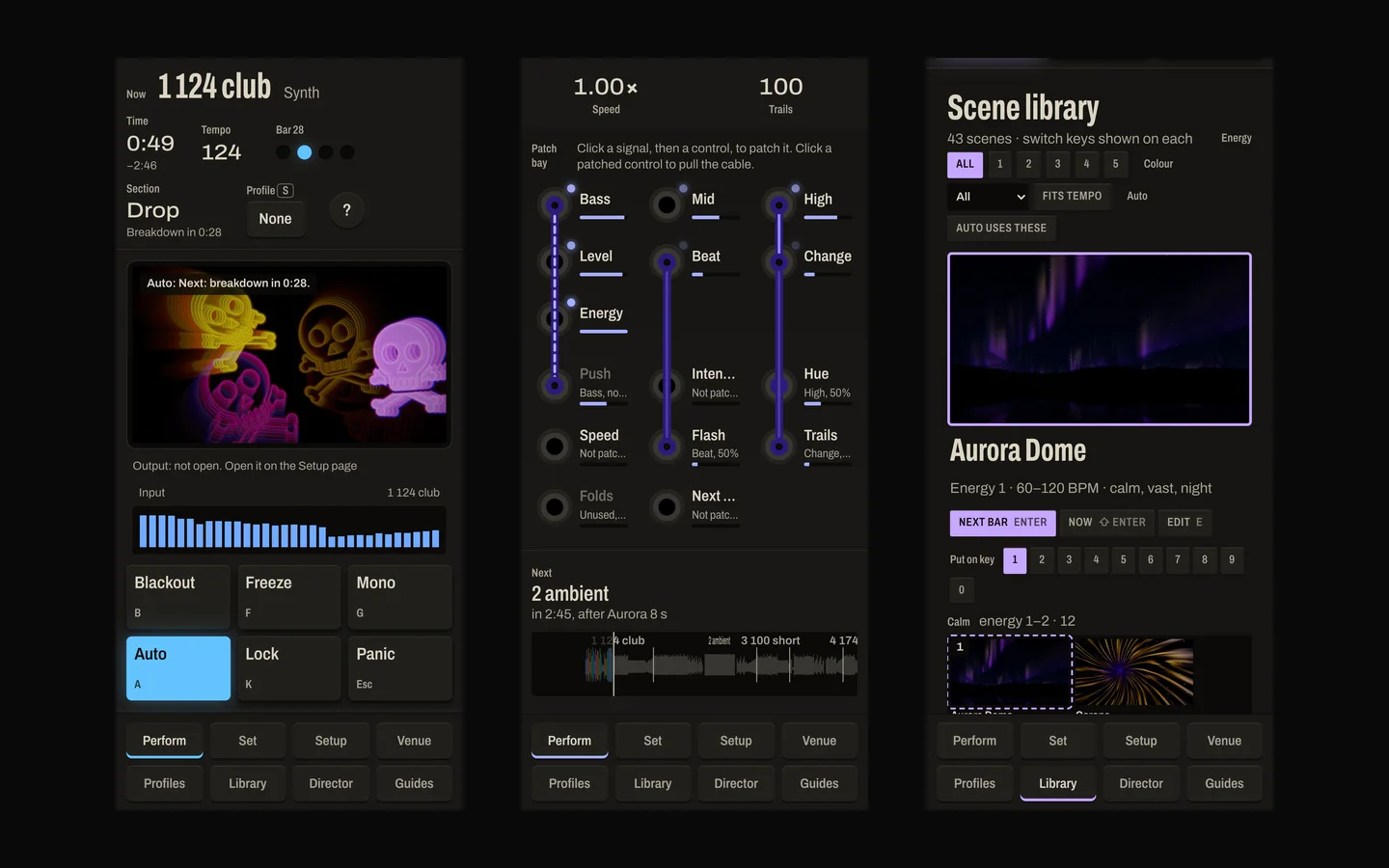
The interface is designed as an instrument panel, not a dashboard. I prototyped three directions and chose "Patchbay".
A patch bay on the main screen
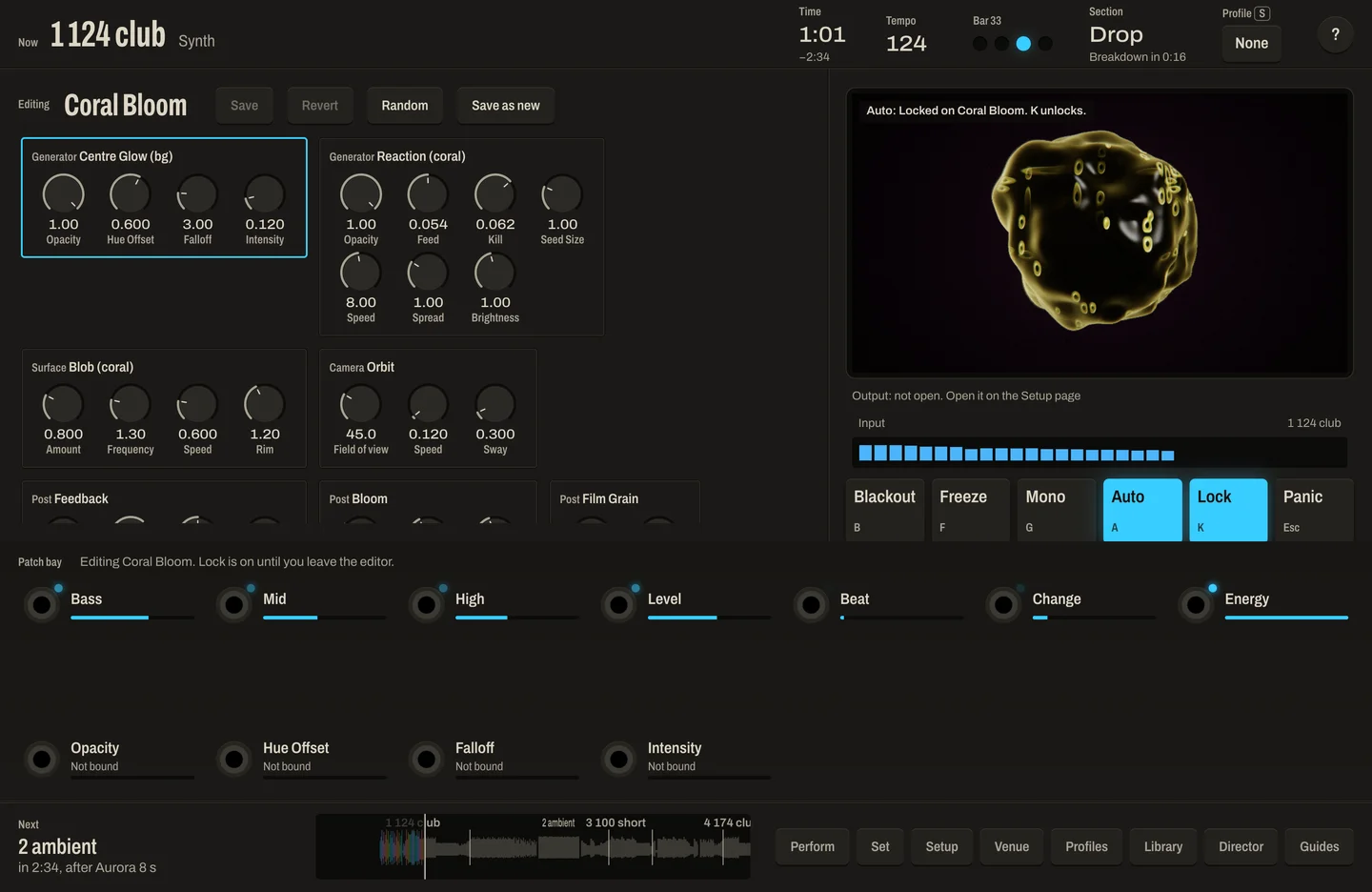
Audio features are output jacks and visual controls are input jacks. Drawn cables connect them and glow with the signal, so you can see what the music is doing to the picture.
Made for a dark room
Warm off-white legends on graphite, one accent colour that follows the visuals, and red used only for blackout. Single-key controls, large targets, and no pop-up dialogs during a show.
Fit it to the venue
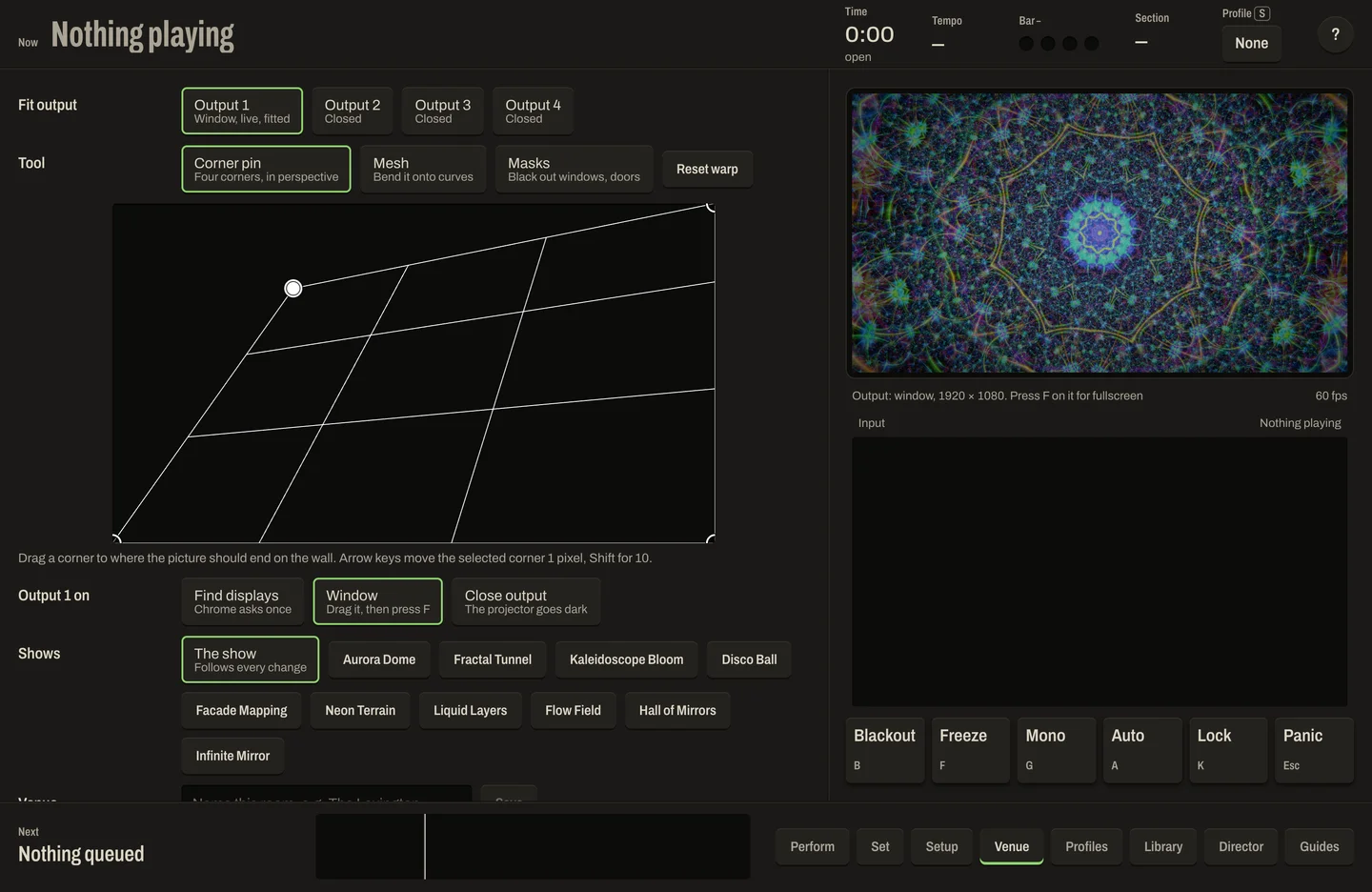
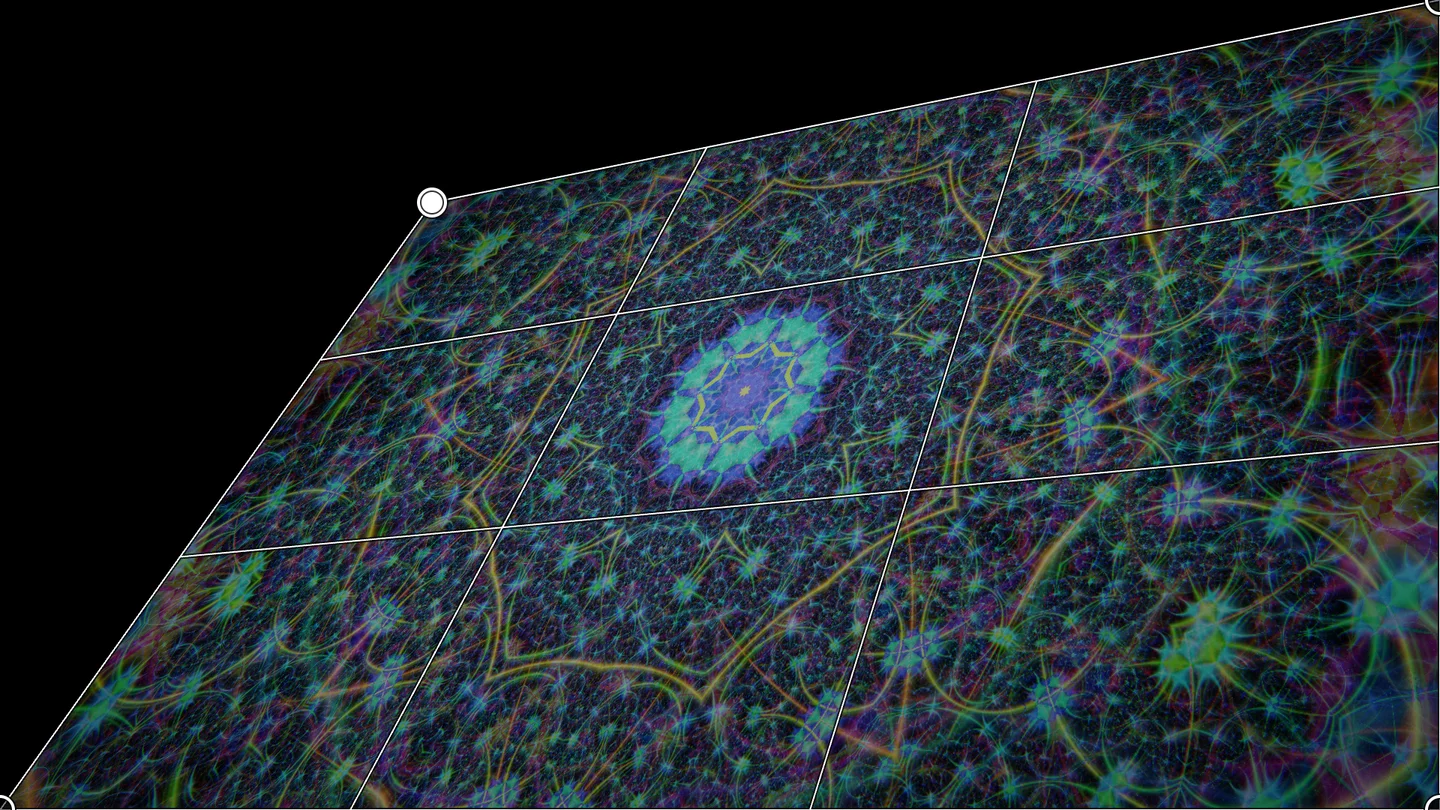
Corner-pin and mesh warp to fit the picture to a real wall, masks for windows and doors, saved per venue, and up to 4 outputs.
Hands on
MIDI learn, tap tempo, freeze, blackout, and a panic key with a 10-second undo.
Ready before doors open
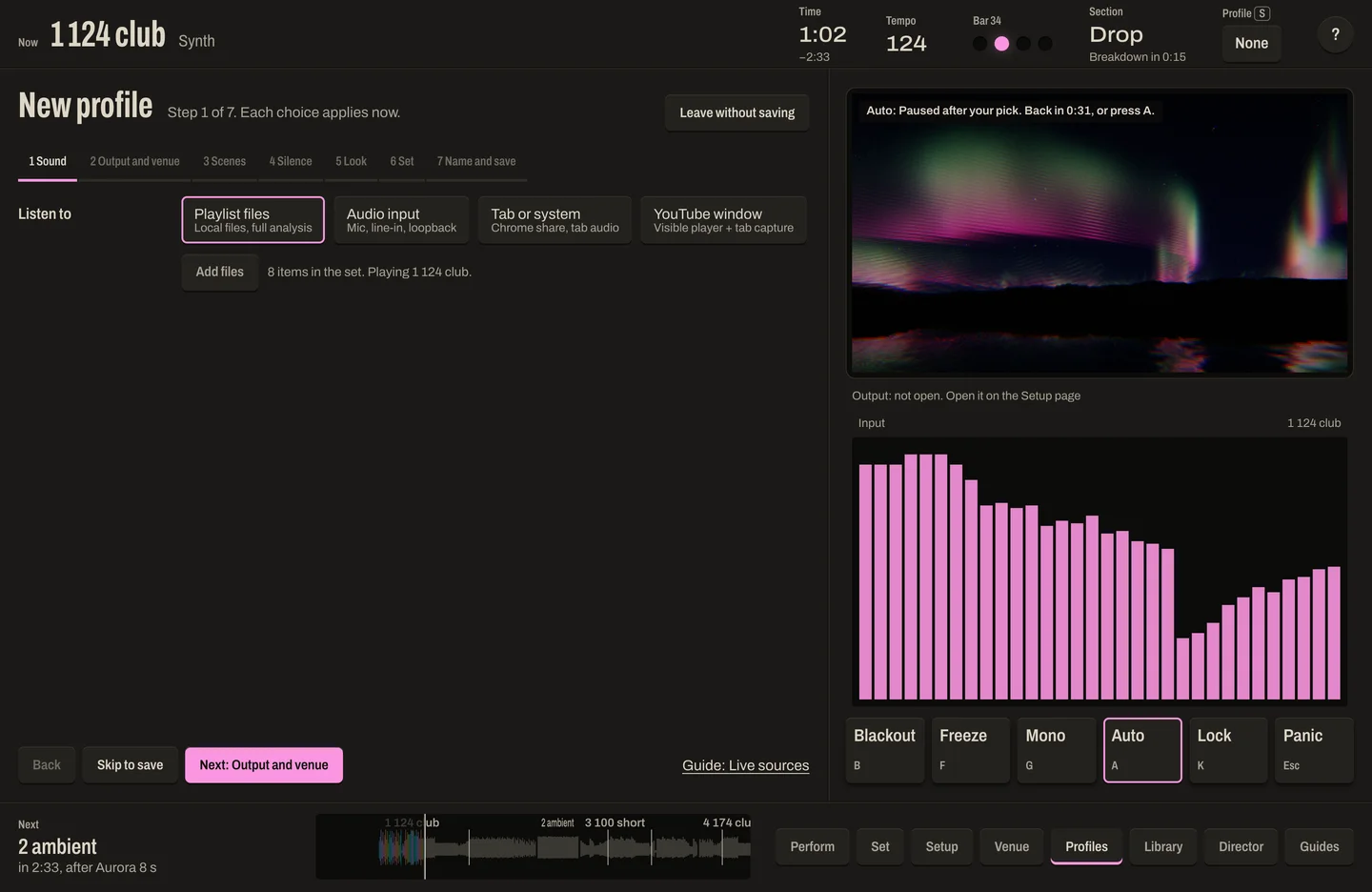
Show profiles, a 7-step setup wizard, a preflight check, and built-in guides. Output can be recorded to MP4.
Tablets and phones
On narrow screens the panel becomes one scrolling column, with the page buttons in a fixed bar at the bottom. Checked in Chrome at phone and tablet widths.
Built to Run All Night
A visualiser that stutters or crashes mid-set is worse than none. Performance was measured, not assumed.
A steady 60 fps
All 30 core scenes ran at 60 fps with 0 dropped frames at 1920×1080 and at the MacBook's full 3456×2234, on an M4 Max in Chrome (production build, headless).
On the beat
Beats reach the output window within one display frame of being heard, measured from Chrome's audio clock.
Long runs
A headed 17-minute run at 1080p drew 60,166 frames with 0 dropped and no errors. The app has a soak-test runner for full-night tests.
Recovers by itself
If the GPU resets, it rebuilds and carries on. A lost audio source, an output window that crashes or reloads, or a broken scene each has its own recovery path.
The Results
A working VJ app, live on this site. Open it in desktop Chrome (it needs WebGPU), load some audio files or point it at a sound source, and press 1 to 0 to change scenes. The output window can go to a second screen or a projector. Measured on the target MacBook, every core scene holds 60 fps at full Retina resolution and beats land within one display frame. Still to do: an 8-hour soak test, and checks with a real projector and a real MIDI controller.
12 of the 43 scenes, recorded from the output window on the built-in demo beat.
The control window during a build and drop. The auto-director changes scene on the drop.